data pipes
Please follow these naming conventions when submitting images for blocks:
PAGE IMAGE = nameOfBlock_demo.png
SIDE BAR IMAGE = nameOfBlock_block.png
ICON IMAGE FOR LIST PAGE = nameOfBlock_icon.png
Place images in the img folder. Be sure to update blocks/index.html with a link to your block page.
*/
//NAME OF BLOCK
$title = 'Rocket Assembling Machine';
$imageDemoName = 'guidanceAccessHatch_demo.png';
//USE to make a new paragraph
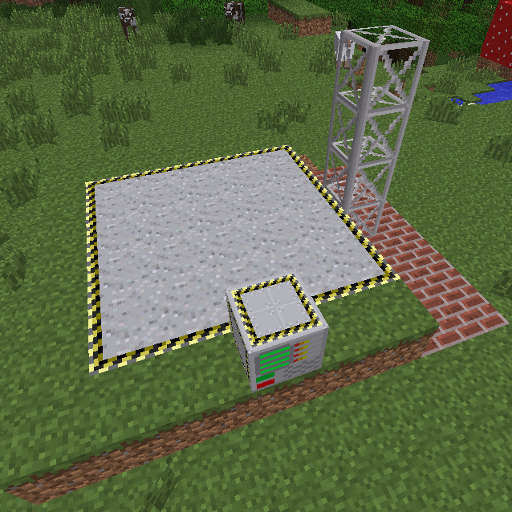
$description1 = 'The Rocket Assembling Machine is a block that takes power in the form of RF to either scan or build a rocket on a multiblock launch pad structure.
';
//FILL IN THIS PART IF THE BLOCK HAS A GUI
$imageGUI = 'rocketAssemblingMachineGui.png';
$descriptionGUI ='Once the structure is properly built then right clicking the Rocket Assembling Machine will open an interface. The interface
has four key areas:
- The rocket statistic panel
- the status panel
- the user input panel (my fancy way of saying two buttons)
- the machine status panel.
The Rocket statistic panel contains four readouts:
- Thrust: How much thrust the engines are producing in newtons. Higher teir engines/fuel provide more thrust per engine
- Weight: Essentially how many blocks are in the rocket. Each blocks is expected to weight one Kilogram (F=ma), however blocks with inventories can increase weight by more than one kilogram.
- Fuel: How fast fuel is consumed in milibuckets per second. The bar indicates how much fuel you expect to have left over after reaching orbit.
The white line indicates the amount of fuel needed to reach orbit.
- Acceleration: How fast the rocket is expected to accelerate on a planet with Overworld mass in meters per second. The while line indicates 0 m/s
The Scan button will command the Rocket Assembling Machine to start scanning the rocket built on the launch pad but will NOT assemble the rocket.
This is useful when testing to see if a design is capable of reaching orbit.
The Build function performs the same function as the scan function, but if the rocket is capable of reaching orbit then the blocks on the launch pad will be assembled into a completed rocket.
The status panel displays error messages from the
Rocket Assembling Machine. The messages are be self-explainatory.
The machine status panel contains two bars, the progress bar, which is marked with a
hammer, displays the machine\'s progress with either the scan or build function. The bar marked with the battery icon displays the amount of power stored in
the assembling machine.
';
$optionalSection = 'Construction
The base of the construction pads is made from Launch Pad Blocks. It can be any size between
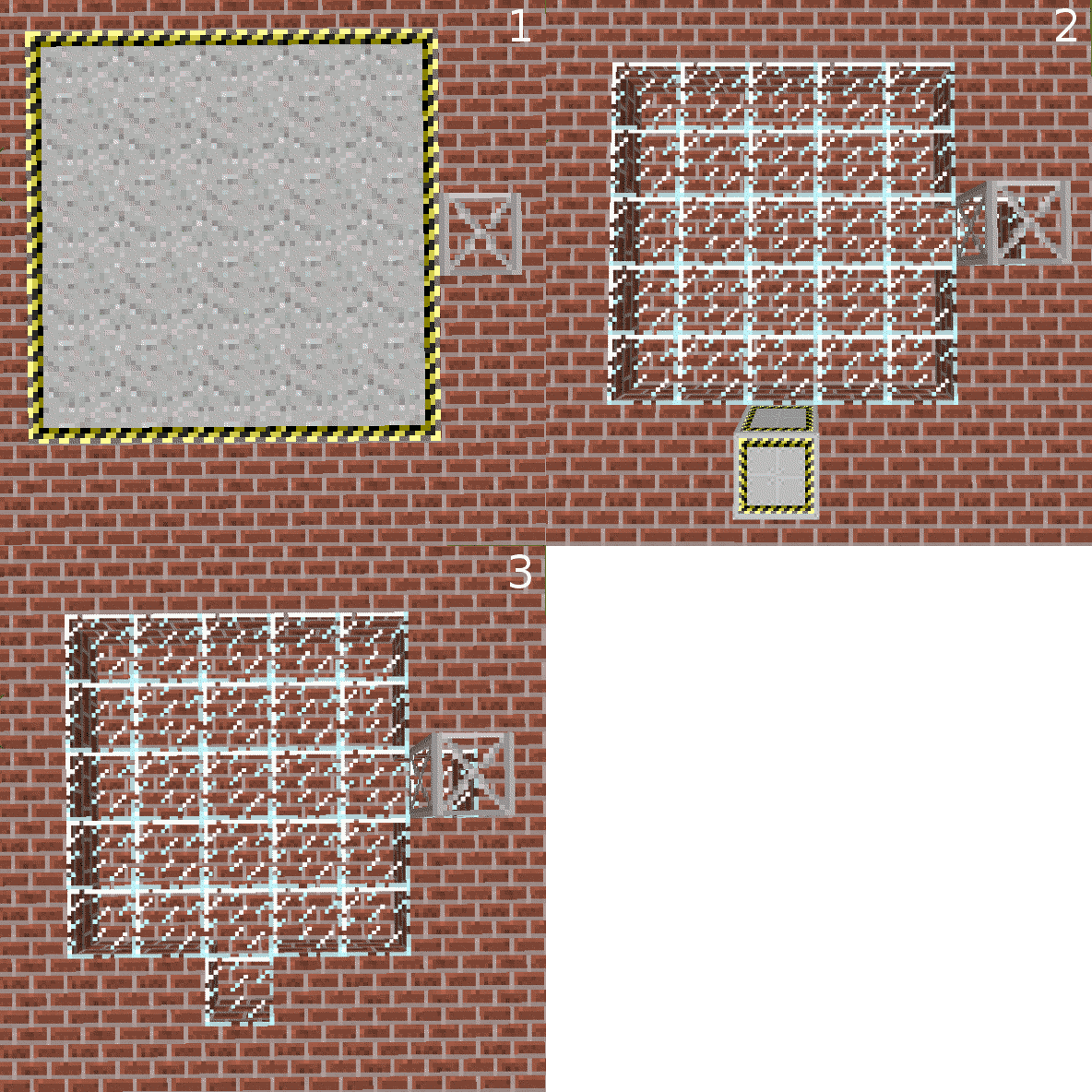
3x3 and 16x16. The base does not have be a square, rectangular shapes work too. The height of the structure is defined by the Structure Tower Blocks and can be anywhere between 4 and 64 blocks tall. If multiple structure towers exist in the structure, then the height of the tallest tower is used. The base of the tower must be at the same level as the rocket pad. The base of the tower also has to be touching the pad on one of the four faces and cannot be placed diagonally. The Rocket Assembling machine must be one block above the pad with the back of the machine facing the pad for the Strcuture to form. Larger construction pads require more time to scan and build the rocket!
Left: Completed Structure
Right: Cross Section
';
$sidebarImage = 'rocketAssemblingMachine_block.png';
$hardness = '3';
$blastResistance = '0';
$requiresTool = 'YES';
$fullBlock = 'YES';
$sealable = 'YES';
$tileEntity = 'YES';
$multiBlock = 'NO';
$other ='Min Structure Size:
3x4x3
Max Structure Size:
16x64x16';
include($_SERVER["DOCUMENT_ROOT"].'/AdvancedRocketry/template1.12.php');
?>